Admin Video library
The admin Video library lists every past class that has a recording — whether it is saved, still archiving, waiting for approval, or failed — as a list of classes. It is the place to answer “which of my classes have a recording, and which need attention?”
It is deliberately not the same page as the Zoom recordings page. That page lists archive jobs — files, bytes, attempts — for whoever administers the Zoom account. This one lists classes, for whoever runs them: the same recordings, a different question.
Opening it
Section titled “Opening it”-
Open your organization’s admin area.
-
In the admin menu, under Calendars, choose Video library.
Anyone with Create events and edit event details (or the owner) can open it. It does not require the integrations permission, so a teacher can reach their own recordings without being handed the Zoom account.
What it shows
Section titled “What it shows”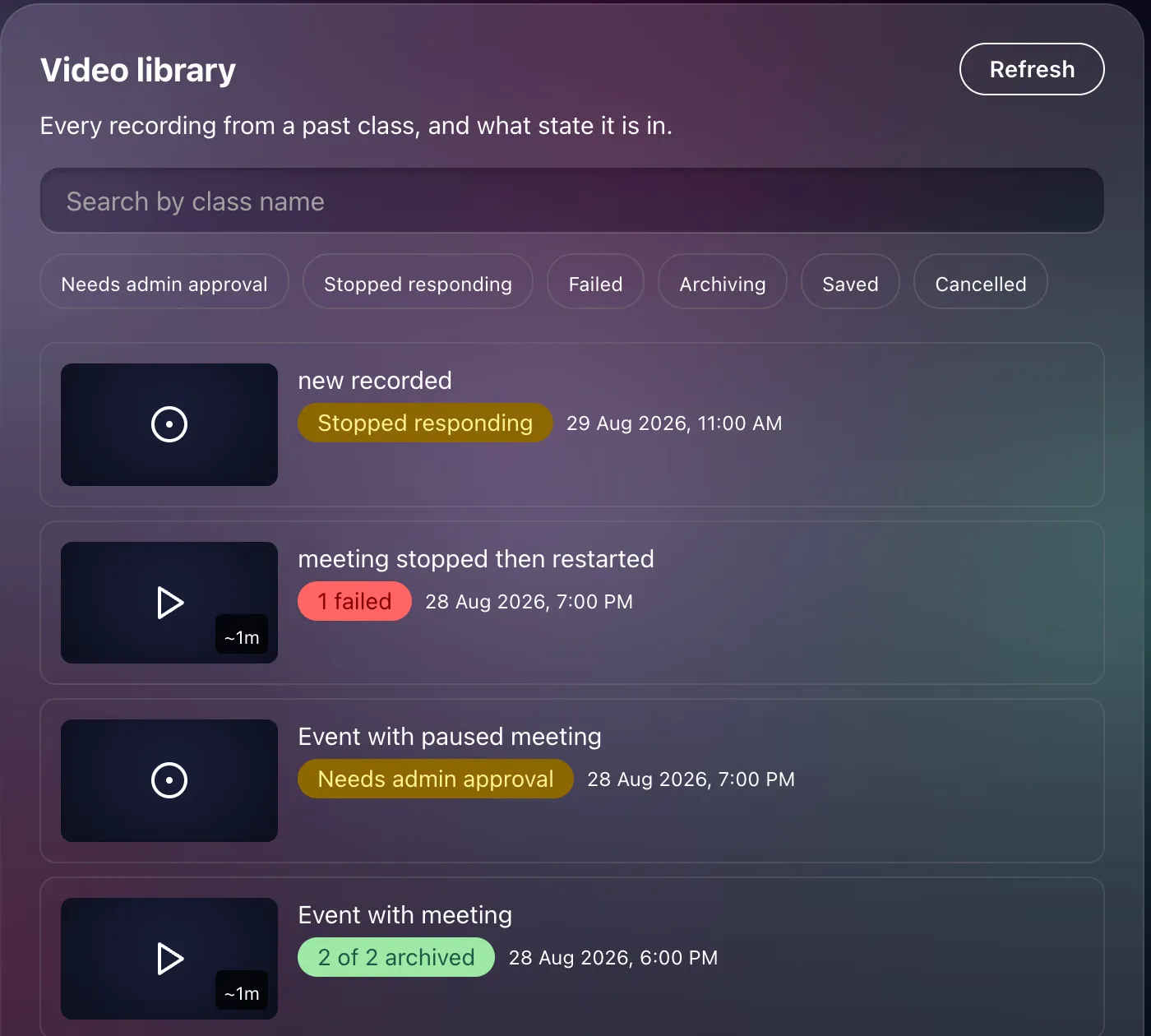
Every past class with a recording, newest first. Each row:
- The event’s poster, with a play icon when the recording is watchable and a record icon otherwise, and the total length in the corner.
- The class name.
- A status pill — the same words the recordings page uses — when there is something to say: Needs admin approval, Archiving, 1 failed, Stopped responding, 2 of 2 archived, and so on.
- When the class was, and its instructors.
Clicking a row opens the event’s own Recording page, where the files, the preview and the stats are. Nothing is actioned from the library itself.
Finding things
Section titled “Finding things”- Search by class name.
- Filter by status using the pills: Needs admin approval, Stopped responding, Failed, Archiving, Saved, Cancelled. Pick several to combine them. These are the same six buckets as the recordings page, so a filter means the same thing in both places.
- Refresh re-reads the list; it does not poll on its own.
Scrolling to the bottom loads more until “That’s every recording.”
Related
Section titled “Related”- The video library — what members see
- Reviewing recordings
- Managing an event’s recording