Joining event Zoom meetings
Prerequisites
Section titled “Prerequisites”- Your organization owner / admin must have an actively connected zoom account to the Feather organization.
- The event must have been created with the option to generate the Zoom Meeting.
Starting the Zoom Meeting as Host
Section titled “Starting the Zoom Meeting as Host”Prerequisites
Section titled “Prerequisites”- You must be the organization Owner or,
- You must have
Check in guestspermission
-
Visit the page of the event with the zoom meeting
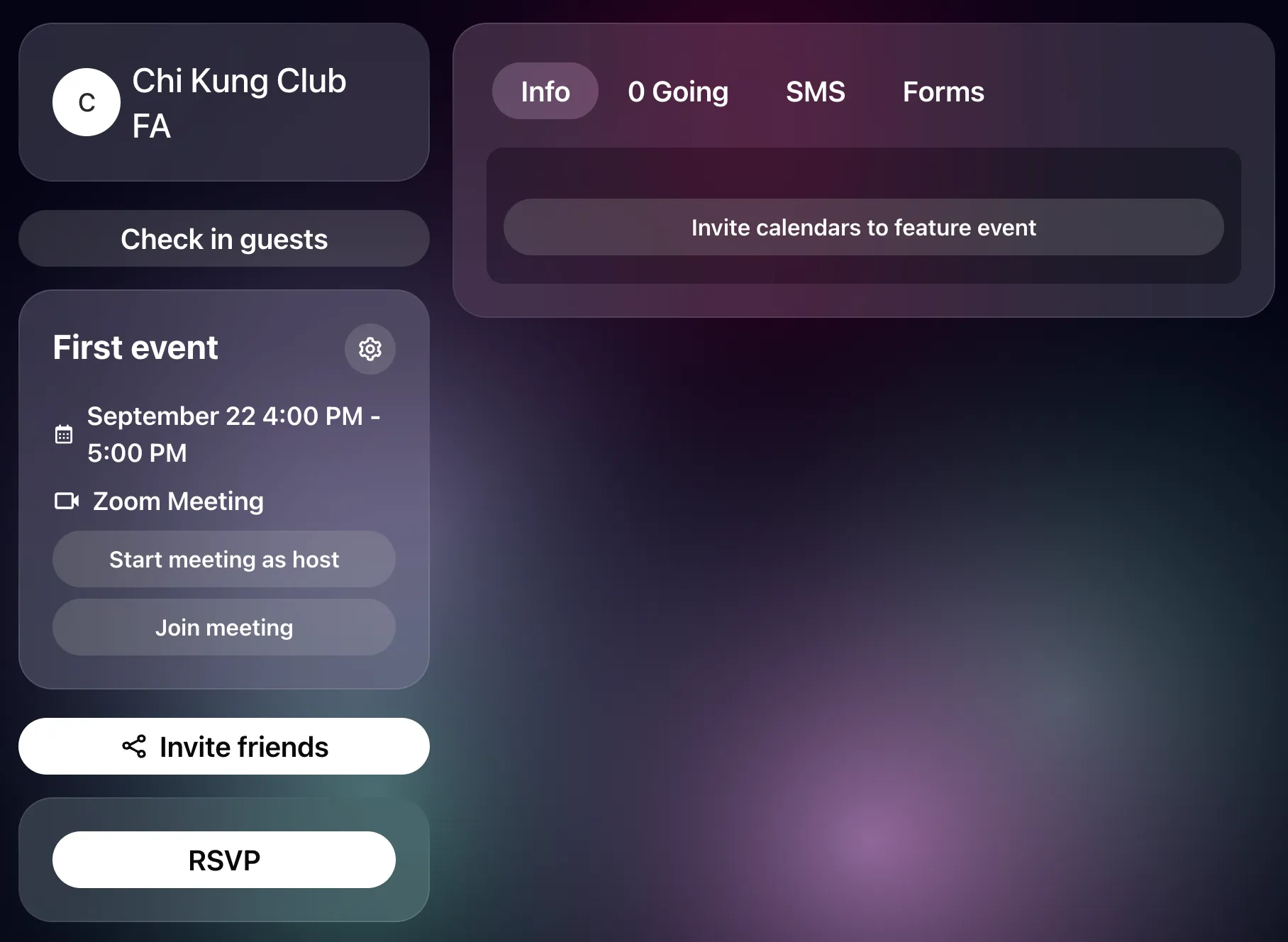
-
Click the button
Start meeting as host. This will launch the Zoom meeting as a host, with host priviledges.
Joining the Zoom Meeting as a Guest
Section titled “Joining the Zoom Meeting as a Guest”- You must be the organization Owner or,
- You must have
Check in guestspermission, or - You must have RSVPed or purchased a ticket to the event
-
Visit the page of the event with the zoom meeting
-
Click the button
Join meeting. This will launch the Zoom meeting as a participant.